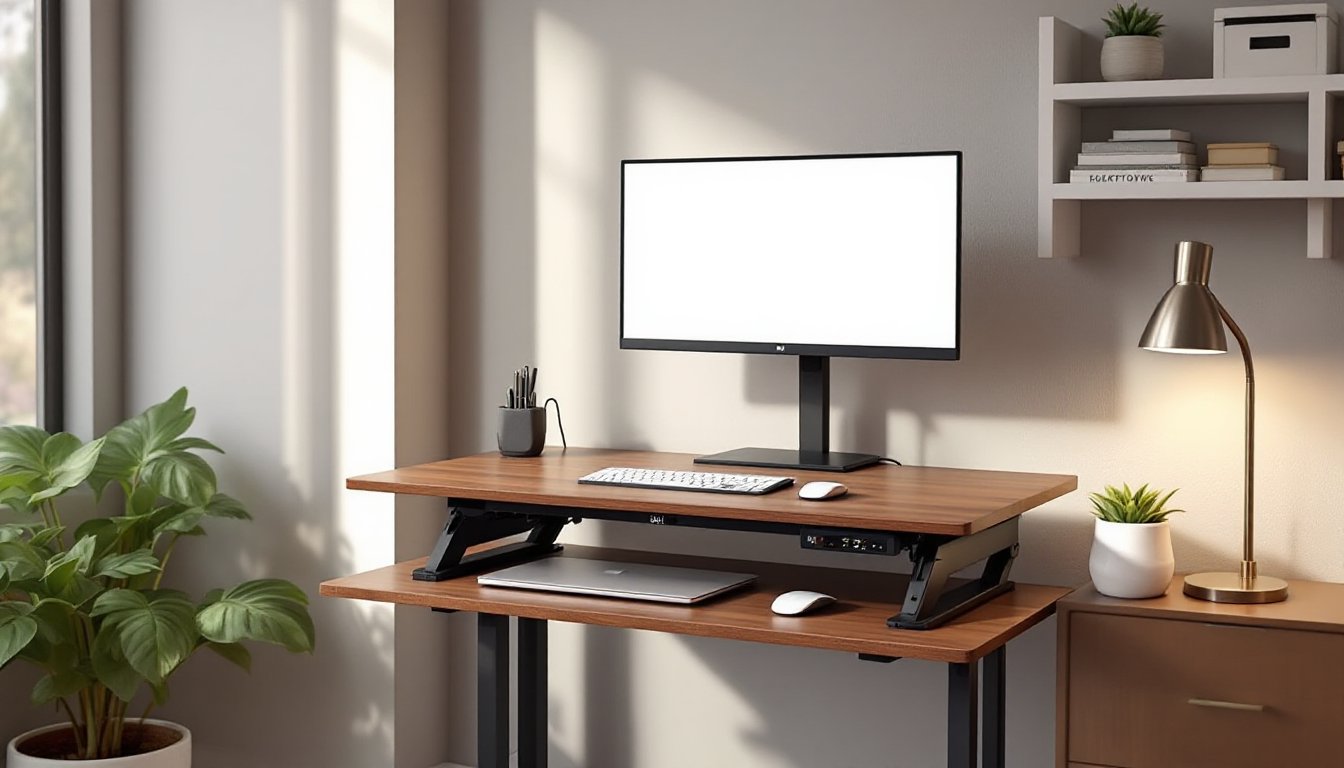
Small home offices demand smart furniture choices. A narrow standing desk, typically 24 to 36 inches deep instead of the standard 48 to 60 inches, delivers ergonomic benefits without swallowing floor space. They’re ideal for spare bedrooms, alcoves, or shared living areas where every square foot counts. Unlike bulky executive desks, narrow standing desks adapt to tight corners and shallow walls while still offering height adjustability, cable management, and enough surface area for a laptop, monitor, and essential gear. This guide walks through selection criteria, placement strategies, productivity hacks, and DIY modifications to help anyone build or buy the right narrow desk for their workspace.
Table of Contents
ToggleKey Takeaways
- A narrow standing desk (24–36 inches deep) maximizes space efficiency in small home offices, apartments, and condos while maintaining proper ergonomic support for monitors and keyboards.
- Stability is critical for narrow desks—choose reinforced steel frames with T-shaped legs and aim for at least 150-pound weight capacity to prevent wobbling at standing height.
- Strategic placement against short walls, in corners, or parallel to windows, combined with vertical storage solutions and monitor arms, dramatically increases productivity on limited desk surfaces.
- DIY modifications like keyboard trays, monitor shelves, and cable grommets can double usable workspace and cost under $100 to implement with basic tools.
- Common pitfalls like ignoring depth requirements, overlooking weight distribution, and forgetting electrical access can be avoided by measuring twice, testing stability, and prioritizing function over form.
Why Choose a Narrow Standing Desk for Your Home Office?
Space efficiency tops the list. Homes with limited square footage, condos, apartments, or converted closets, can’t accommodate a 30-inch-deep desk and still leave room to move. Narrow models free up floor space for file cabinets, bookshelves, or simply better traffic flow.
Ergonomics don’t suffer at reduced depths. A 24- to 30-inch desk still allows proper monitor distance (20 to 40 inches from the eyes, per OSHA guidelines) and forearm support. Users who rely on a single laptop or a vertical monitor mount won’t miss the extra depth.
Cost savings follow smaller dimensions. Less material means lower prices, whether buying ready-made or sourcing lumber for a DIY build. A basic motorized frame paired with a narrow desktop can run $200 to $400, compared to $500-plus for full-width units.
Flexibility in placement opens up unconventional spots, hallway nooks, under staircases, or between windows. Narrow desks slip into areas that traditional furniture can’t, turning underused corners into functional workstations.
Key Features to Look for in a Narrow Standing Desk
Stability matters more than size. A narrow footprint can make a desk tippy, especially at standing height. Look for frames with reinforced crossbars or T-shaped legs that extend forward. Steel frames rated for 150+ pounds provide better wobble resistance than aluminum or composite materials.
Height range should match the user. Most electric frames adjust from 28 to 48 inches, fitting people from 5’0″ to 6’4″. If anyone shorter or taller will use it, verify the minimum and maximum heights. Manual crank desks work fine but slow down transitions, expect 30 seconds to adjust versus 10 seconds for motorized versions.
Desktop material and thickness affect durability and workspace feel. Solid wood (1-inch maple, oak, or birch) handles clamps and monitor arms better than particleboard. MDF or laminate tops (¾-inch thick) cost less and resist scratches but can’t support heavy clamps without reinforcement. Butcher block or edge-glued boards add a DIY-friendly option with decent load capacity.
Cable management built in prevents cord chaos. Grommets, cable trays, or clips mounted under the desktop keep power cords and USB cables tidy. Desks without integrated management require aftermarket trays or adhesive clips.
Weight capacity should exceed your actual load by 30 percent. A 24-inch-deep desk with a 100-pound rating won’t handle a desktop PC, dual monitors, and books comfortably. Aim for 150 pounds minimum if using heavy equipment.
Ideal Room Layouts and Placement Strategies
Against a short wall works best in rectangular rooms. Position the desk perpendicular to the longest wall to maximize floor space in the center. Leave 24 to 36 inches behind the desk for chair clearance when seated, or 18 inches for standing-only setups.
Corner installations pair two narrow desks in an L-shape or place a single unit diagonally. Diagonal placement can feel cramped unless the corner is at least 60 inches on each wall. Measure carefully, nominal 24-inch depth becomes 34 inches diagonally, eating more space than expected.
Floating in the middle of a room divides open-concept spaces. Anchor the desk with an area rug and use a low bookshelf or room divider behind it to define the zone. This layout suits lofts or studios but requires accessible power outlets: floor-mounted receptacles or extension cords become necessary.
Window placement offers natural light but introduces glare. Position the desk parallel to the window, not facing it, to avoid screen reflections. Adjustable blinds or blackout curtains help control brightness during video calls or focused tasks.
Clearance codes rarely apply to furniture, but keep desks at least 36 inches from doorways per ADA recommendations if the space doubles as a guest area. Fire egress paths should remain unobstructed in basements or attics used as offices.
How to Maximize Productivity with Limited Desk Space
Vertical storage recovers lost surface area. Wall-mounted shelves, pegboards, or magnetic strips hold supplies off the desktop. Install shelves 16 to 18 inches above the desk surface to avoid head bumps when standing. Locate studs with a stud finder and use 3-inch wood screws driven into 2×4 or 2×6 framing for load-bearing shelves.
Monitor arms free up depth. A gas-spring arm clamps to the desk edge and extends the screen forward, letting users push keyboards or notebooks underneath when not typing. Look for arms rated for your monitor’s weight (typically 10 to 30 pounds) and VESA mounting holes on the display’s back.
Laptop stands or risers create two-tier storage. Elevate the laptop to eye level and slide a wireless keyboard underneath. This trick works on desks as shallow as 20 inches. Make sure the stand’s footprint doesn’t overhang the desk edge.
Drawer units on wheels slide under the desk when not needed. A 15-inch-wide rolling file cabinet fits most narrow desks and provides locking storage for documents or tools. Casters should lock to prevent drift on hardwood or tile floors.
Cable clips and Velcro ties keep cords flat against the underside of the desk. Route power cables along the frame legs with adhesive clips spaced every 12 inches. Bundle excess cable length with reusable Velcro straps, zip ties cut into skin during adjustments and damage cable jackets over time.
Minimal gear philosophy helps. Swap a full-size keyboard for a tenkeyless or 60-percent model to save 4 to 6 inches of width. Use a small wireless mouse instead of a gaming mouse with a thick cable. Digitize paper documents to eliminate physical file trays.
DIY Customization Ideas for Your Narrow Standing Desk
Build a leaning desk for under $100. Cut a piece of ¾-inch plywood to 20×48 inches for the work surface. Attach two 60-inch 1×4 boards as angled legs, secured to wall studs with L-brackets at the top. The leaning standing desk design uses gravity and wall support instead of heavy frames, saving weight and cost. Sand all edges with 120-grit paper and finish with polyurethane or water-based sealer. This project requires a circular saw or miter saw, drill, level, and stud finder. Wear safety goggles and a dust mask during cutting and sanding.
Add a keyboard tray to reclaim surface depth. Mount an under-desk sliding tray 2 inches below the desktop using ball-bearing slides rated for 50 pounds. Cut a ¾-inch plywood panel to 24×10 inches, drill pilot holes, and attach slides 16 inches apart. This modification suits anyone who needs more room for notebooks or sketching. Detailed plans for similar workshop modifications often include material lists and cut diagrams.
Install a monitor shelf to double usable space. Build a second tier by cutting two 10-inch-tall supports from 1×8 boards and a 24-inch-wide shelf from ¾-inch plywood. Secure with wood glue and 1¼-inch finish nails, then clamp until dry. Paint or stain to match the desktop. This raises the monitor 10 inches, creating room for a keyboard or documents below.
Apply edge banding to exposed plywood or MDF edges for a finished look. Preheat an iron to medium, press adhesive-backed veneer tape over the edge, and trim excess with a utility knife. Edge banding costs $5 to $10 per roll and makes DIY desktops look store-bought.
Retrofit cable grommets by drilling 2- to 3-inch holes with a hole saw. Snap in plastic or metal grommets to protect cables from sharp edges. Center grommets 4 inches from the back edge to avoid hitting desk frame components. For beginner-friendly techniques, start with a paddle bit or spade bit on scrap wood to practice clean entry and exit holes.
Finish with furniture-grade paint or stain. Sand the desktop with 150-grit, then 220-grit paper. Wipe away dust with a tack cloth. Apply two coats of water-based polyurethane or satin paint, sanding lightly between coats. Total drying time runs 24 to 48 hours, depending on humidity. Always work in a ventilated area and wear a respirator if using oil-based finishes.
Common Mistakes to Avoid When Choosing a Narrow Desk
Ignoring depth needs leads to buyer’s remorse. Measure existing gear before purchasing. A 24-inch-deep desk can’t fit a 22-inch monitor on a stand plus a keyboard, forearms hang off the edge. Add 4 inches to your monitor’s depth measurement to allow clearance.
Overlooking weight distribution causes sagging or frame failure. Place heavy items, desktop PCs, printers, over the frame’s crossbar or legs, not in the middle of an unsupported span. Particleboard tops longer than 48 inches need a center support leg to prevent bowing.
Skipping stability testing in the showroom or after assembly. Lean on the desk at standing height and push side-to-side. Wobble greater than ¼ inch indicates loose bolts or a weak frame. Tighten all fasteners and add anti-tip brackets if the desk rocks.
Choosing style over function wastes money. Glass tops look sleek but show fingerprints and don’t support clamps. Desks with decorative crossbars at knee height block leg movement when seated. Prioritize ergonomics and tool compatibility before aesthetics.
Forgetting about electrical access creates trip hazards. Confirm an outlet within 6 feet of the desk location, or plan to install a power strip with a 10- to 15-foot cord. Running extension cords under rugs violates NEC Article 400.8 and poses a fire risk.
Underestimating assembly time frustrates first-time builders. Budget two to four hours for motorized desks with electric components. Have a second person available to hold the desktop while attaching the frame, narrow tops are awkward to balance alone. Keep a socket wrench set, Phillips screwdriver, and level handy.
Conclusion
Narrow standing desks solve real problems for anyone short on space but determined to work comfortably. By focusing on stability, smart placement, and thoughtful accessories, even a 24-inch-deep desk can support a productive home office. Whether buying a ready-made frame or building a leaning desk from scratch, the key is matching dimensions to actual gear and room layout, measure twice, cut once, and don’t skip the prep work.