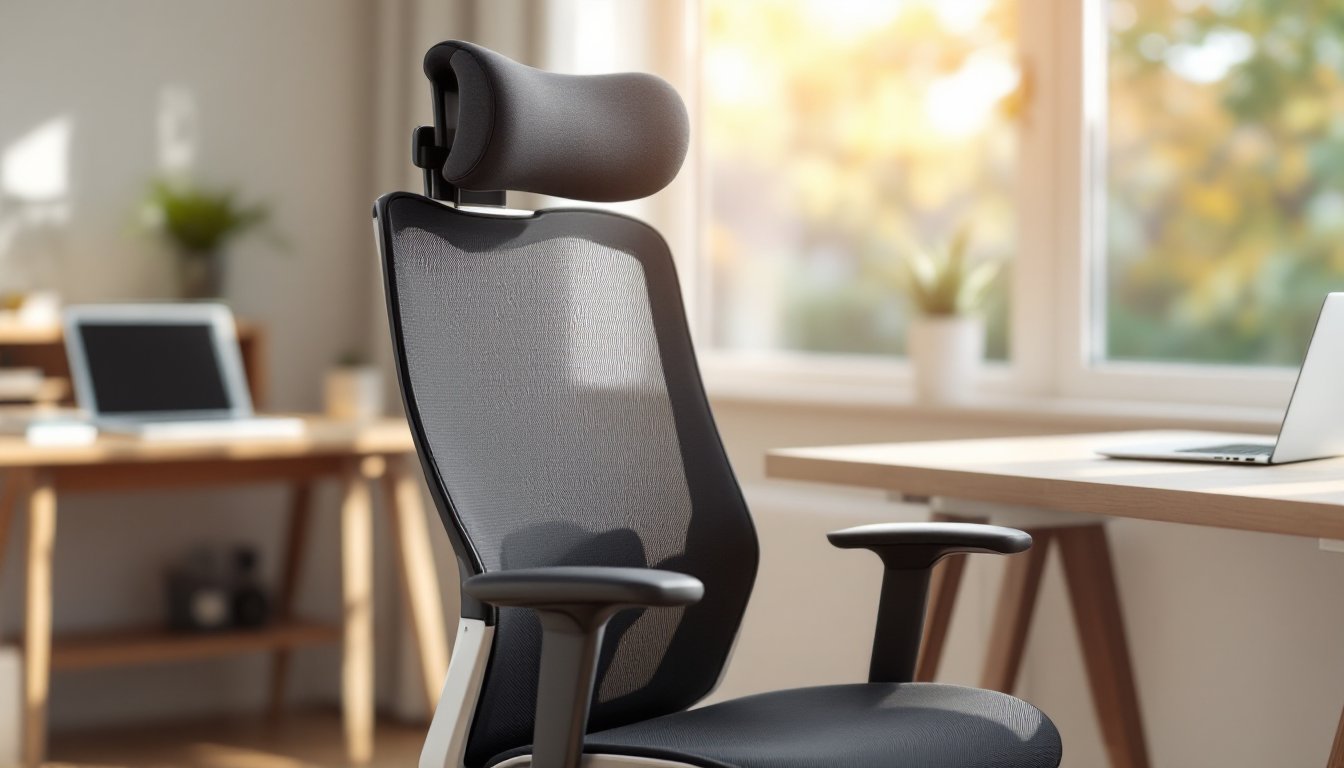
Neck pain, tension headaches, and shoulder stiffness aren’t badges of honor, they’re signs your workspace is failing you. An office chair with a headrest isn’t just a luxury for corner-office executives anymore: it’s a practical upgrade for anyone logging hours at a desk, whether that’s in a home office or a repurposed dining room corner. The right headrest supports the cervical spine, reduces muscle fatigue, and can make the difference between ending your workday energized or reaching for the ibuprofen. This guide walks through what matters when choosing, setting up, and fine-tuning a headrest-equipped office chair for real, measurable comfort.
Table of Contents
ToggleKey Takeaways
- An office chair with a headrest provides critical support for the cervical spine and reduces cumulative strain that leads to chronic neck pain and tension headaches.
- Look for adjustable headrests with height and depth controls that align with the occipital bone at the skull’s base, paired with a well-engineered frame and quality materials to ensure durability.
- Proper setup is essential: measure your space, match the chair to your primary task, and spend time fine-tuning height, depth, and recline angle to match your individual anatomy.
- Quality office chairs with headrests range from $250–$700 for functional models, with high-end options offering extended warranties and better long-term value for all-day desk users.
- Coordinate your headrest adjustment with armrest height and lumbar support to maintain neutral shoulder and neck positioning throughout the workday.
Why a Headrest Matters for Your Home Office Setup
Most standard office chairs stop support at the mid-back or upper back, leaving the neck and head to fend for themselves. That might work fine if someone’s typing with perfect upright posture for 20 minutes, but real workdays involve leaning back to think, tilting forward to read, and hours of micro-adjustments that add up to serious strain.
A headrest provides a third point of contact, beyond the seat and backrest, that stabilizes the cervical spine and encourages neutral head positioning. When the head weighs around 10–12 pounds, holding it unsupported for hours creates cumulative load on neck muscles and upper trapezius. Over time, that leads to chronic tension, trigger points, and even referral pain into the shoulders or upper back.
For anyone working from home, especially in spaces that double as living areas, the chair becomes the single most-used piece of furniture in the house. Investing in proper head and neck support isn’t about aesthetics, it’s about function and longevity. A headrest also supports reclined positions during phone calls or brainstorming sessions, letting the user relax without collapsing posture. Some DIY enthusiasts have even retrofitted chairs with custom headrests, like the clever IKEA Fingal modifications that repurpose car seat components for added ergonomic support.
Safety note: If neck pain persists even though ergonomic adjustments, consult a healthcare provider. Chronic discomfort can signal underlying issues that furniture alone won’t fix.
Key Features to Look for in an Office Chair with Headrest
Not all headrests are created equal. Some are bolted-on afterthoughts that don’t adjust or support: others are integral parts of a well-engineered seating system. Here’s what separates a functional headrest from a cosmetic bump.
Adjustability and Ergonomic Design
Height adjustment is non-negotiable. The headrest should align with the curve at the base of the skull (the occipital bone), not push against the crown or miss the neck entirely. Look for chairs offering at least 2–4 inches of vertical travel. Some models also provide depth adjustment, letting the user move the headrest forward or back to match head position when reclining.
Tilt or pivot mechanisms add another layer of customization. A headrest that tilts independently of the backrest can cradle the head in multiple recline angles, from upright typing to a 120-degree thinking lean. Chairs with synchronous tilt, where the backrest and seat angle together, pair well with pivoting headrests, maintaining support through the full range of motion.
The shape and contour matter, too. A flat pad won’t conform to the natural cervical curve: look for headrests with a slight concave or contoured design. Some high-end models use memory foam or gel-infused cushioning that molds to individual anatomy without bottoming out over time.
Armrest integration is often overlooked but crucial. When armrests are too high or poorly positioned, users hunch shoulders to type, negating any benefit from the headrest. Adjustable armrests (height, width, angle) let the user dial in a neutral shoulder position, which keeps the neck relaxed and the headrest effective.
Material Quality and Durability
A headrest is only as good as the materials holding it together. Mesh headrests offer breathability, important in warm climates or for users who run hot, but they can sag or lose tension after a year or two of heavy use. Foam-padded headrests with synthetic leather or fabric covers provide cushioned support but require cleaning and may crack or peel over time, especially in direct sunlight.
Frame construction matters just as much as padding. Look for headrests mounted on steel or reinforced nylon brackets, not flimsy plastic clips. The adjustment mechanism should lock firmly at any height without creeping downward under load. Test the headrest by pushing back hard: any wobble or give means the mounting hardware isn’t up to the task.
For home workshops or multi-use spaces, consider chairs with replaceable headrest covers. Sawdust, paint mist, and general shop grime are harder on upholstery than a climate-controlled office. Removable, washable covers extend the lifespan and keep the chair from looking (or smelling) like a jobsite relic.
How to Choose the Right Office Chair with Headrest for Your Space
Choosing the right chair starts with honest assessment: How much space is available? What’s the primary task? And what’s the realistic budget, not the aspirational one?
Measure the space first. Office chairs with headrests tend to be taller and have larger footprints than standard task chairs. Check the chair’s overall height with the headrest fully extended, many clock in around 48–52 inches tall. If the desk sits under a sloped ceiling, a loft, or built-in shelving, that clearance matters. Also measure the seat-to-floor range against the desk height. Ergonomic best practice calls for elbows at roughly 90 degrees when typing, with feet flat on the floor or a footrest.
Match the chair to the task. Someone editing spreadsheets for eight hours needs different support than a designer leaning back to critique mockups. For intensive keyboard work, prioritize lumbar support and armrest adjustability: the headrest serves as a rest-break feature. For roles involving video calls, reading, or creative thinking, a well-designed headrest becomes primary support, letting the user recline and relax without losing alignment.
Weight capacity and build quality aren’t just about supporting body weight, they’re about longevity under daily use. Most mid-range chairs are rated for 250–300 pounds: heavy-duty models go up to 400 or more. Check the cylinder rating (Class 3 or Class 4 gas lift cylinders are standard), the caster type (hard wheels for carpet, soft for hard floors), and the base material (aluminum or steel five-star bases outlast plastic).
Budget realistically. Decent ergonomic chairs with headrests start around $250–$300: expect to spend $400–$700 for models with robust adjustment and quality materials. High-end task chairs from brands with strong reputations can push $1,000+, but that cost often includes longer warranties (10–12 years) and replacement part availability. For those handy with tools, platforms like Fix This Build That offer plans and ideas for custom furniture projects, though building a chair with proper ergonomic engineering is beyond most DIY skill sets.
Finally, if aesthetics matter, especially in a home where the office blends into living space, consider finish and style. Contemporary chair designs increasingly feature clean lines and neutral tones that work in modern interiors. Sites like Design Milk showcase furniture that balances form with function, proving ergonomic doesn’t have to mean industrial or boring.
Setting Up and Adjusting Your Headrest for Maximum Comfort
Buying the right chair is step one. Dialing it in for individual anatomy is where comfort actually happens. Most ergonomic issues come from skipping or rushing setup.
Start with seat height. Adjust so feet rest flat on the floor (or footrest) with thighs roughly parallel to the ground and a 2–3 finger gap between the seat front and the back of the knees. This establishes the baseline for everything else.
Set lumbar support next. The lumbar curve, the small of the back, should nestle into the chair’s lumbar pad or curve. If the chair has adjustable lumbar depth or height, tweak it until there’s firm, even pressure across the lower back. Don’t over-inflate or crank it forward: too much lumbar support can push the pelvis into anterior tilt and throw off the whole spine.
Now adjust the headrest height. Sit upright in a neutral typing position. The headrest should contact the back of the skull right at the occipital bone, the bony bump at the base of the skull, not the neck itself. If the headrest pushes against the neck vertebrae, it’s too low: if it hits the crown or misses entirely, it’s too high. Lock it in place and test by leaning back slightly. The head should rest naturally without tilting up or down.
Adjust headrest depth if the chair allows it. When reclining, the headrest should cradle the head without forcing the neck into flexion (chin to chest) or hyperextension (head tilted back). Most people need the headrest pulled slightly forward from the backrest. Test the recline angle, ideally between 100 and 120 degrees, and make sure the headrest tracks with head position through the tilt.
Armrest tuning comes last but affects headrest comfort. Set armrest height so shoulders remain relaxed and elbows rest lightly while typing. If armrests force shoulders up, tension will creep into the neck no matter how good the headrest is. Adjust armrest width if possible: arms should hang naturally from the shoulders, not splay out or squeeze in.
Give it a week. Bodies adapt to new ergonomic setups, and initial discomfort doesn’t always mean poor fit. Small tweaks, raising the headrest a half-inch, angling it forward a degree, can make surprising differences. Document settings (take a photo or jot down measurements) so adjustments can be replicated if someone else uses the chair or settings get bumped.
Safety reminder: Wear safety glasses and gloves if drilling or modifying any chair components. Pneumatic cylinders are under pressure: never attempt to disassemble a gas lift without proper tools and knowledge.
Conclusion
An office chair with a headrest isn’t a gimmick, it’s a tool that supports the body through long, focused work sessions and helps prevent the cumulative wear that leads to chronic pain. Choosing the right one means evaluating adjustability, materials, and fit for both the space and the task. Setup matters as much as selection: a $700 chair dialed in wrong performs worse than a $300 chair adjusted correctly. Take the time to measure, adjust, and test. The neck and shoulders will notice the difference, and so will end-of-day energy levels.