A dead vacuum in the middle of cleaning is frustrating, especially when there’s no obvious reason why it quit. Shark vacuums are reliable workhorses, but like any appliance with moving parts, filters, and electrical components, they can stop working without warning. The good news? Most failures aren’t catastrophic. Before dragging it to the curb or calling a repair shop, there are seven common culprits a homeowner can diagnose and often fix in under an hour with basic tools. This guide walks through each one, from dead outlets to clogged hoses, so users can get their vacuum back in action.
Table of Contents
ToggleKey Takeaways
- Most Shark vacuum failures stem from power issues, blockages, clogged filters, or worn brush rolls—all fixable problems that homeowners can diagnose in under an hour.
- Always check the power source first by testing the outlet, inspecting the cord for damage, and ensuring batteries are fully charged and properly seated.
- Clear blockages in the hose, nozzle, dust cup, and internal airways regularly, as Shark vacuums have thermal cutoffs that shut off when airflow is restricted and the motor overheats.
- Wash foam and felt filters every three months and inspect the brush roll monthly for wrapped hair, string, or a snapped drive belt—these are among the most common reasons a Shark vacuum stops working.
- When repair costs exceed $150–$200 or the vacuum is over seven years old, replacement or upgrade may be more cost-effective than fixing recurring issues.
Check the Power Source and Electrical Connections
Start with the simplest explanation: no power. It sounds obvious, but it’s easy to overlook a tripped breaker, a bad outlet, or a loose plug connection.
Test the outlet by plugging in a lamp or phone charger. If those work, the outlet is fine. If not, check the circuit breaker panel and reset any tripped breakers, vacuums draw significant current and can trip 15-amp circuits, especially if other appliances are running on the same line.
Inspect the power cord from end to end. Run fingers along the length to feel for kinks, cuts, or exposed wire. Damage near the plug or where the cord enters the vacuum body is common from repeated bending. If the cord is frayed or cut, it needs replacement, this isn’t a DIY fix unless the user is comfortable with electrical work and has a soldering iron. Most Shark models use proprietary cords, so ordering the correct replacement part from Shark or an authorized dealer is the safest route.
Check the plug connection at the vacuum’s power input. Some models have a two-part connection where the cord plugs into the body. Wiggle it gently to ensure it’s fully seated. Dust and debris can prevent a solid connection, so wipe both male and female ends with a dry cloth.
If the vacuum uses a rechargeable battery (common in Shark cordless models), ensure the battery is fully charged and properly clicked into place. Try removing and reinstalling the battery pack, sometimes the contacts need reseating. If the battery is several years old, it may have reached the end of its charge cycle life and need replacement.
Inspect and Clear All Blockages
Blockages are the most frequent reason a vacuum loses suction or shuts off unexpectedly. Shark vacuums have built-in thermal cutoffs that kill power when airflow is restricted and the motor starts overheating.
Start with the hose. Detach it from both ends and look straight through, daylight should be visible from end to end. If not, there’s a clog. Use a broom handle or a straightened wire coat hanger to push the obstruction out. Avoid sharp objects that might puncture the hose interior. For stubborn clogs, rinse the hose with warm water and hang it to dry completely (24 hours minimum) before reassembling.
Check the floor nozzle and the attachment wand. Hair, string, and small debris love to wrap around the pivot point where the nozzle meets the body. Remove the nozzle if possible (most Shark models have a quick-release button) and clear any buildup. On upright models, flip the vacuum over and inspect the intake port directly under the brush roll housing.
Inspect the dust cup and its seals. Empty the cup even if it doesn’t look full, fine dust can pack tightly and block airflow even when the cup appears half-empty. Wipe the cyclone assembly and the mesh screen inside the cup with a dry microfiber cloth. If the seals around the cup are cracked or not seating properly, air leaks will kill suction. Shark sells replacement seals for most models.
Many homeowners skip checking the secondary airways inside the body. Consult the user manual (available as a PDF on Shark’s website if the paper copy is lost) for a diagram. Some models have removable panels that provide access to internal ducts, check those too. Regular maintenance and cleaning practices can prevent many of these blockage issues from developing in the first place.
Examine the Brush Roll for Damage or Obstructions
The brush roll (also called the beater bar or agitator) spins to lift dirt and debris from carpet. If it’s jammed, broken, or the belt has snapped, the vacuum may still run but won’t clean, or it may refuse to start if the motor senses excessive resistance.
Flip the vacuum upside down on a towel or drop cloth to protect the floor. Most Shark uprights have a removable bottom plate held in place by two to four Phillips-head screws or snap clips. Remove the plate to expose the brush roll.
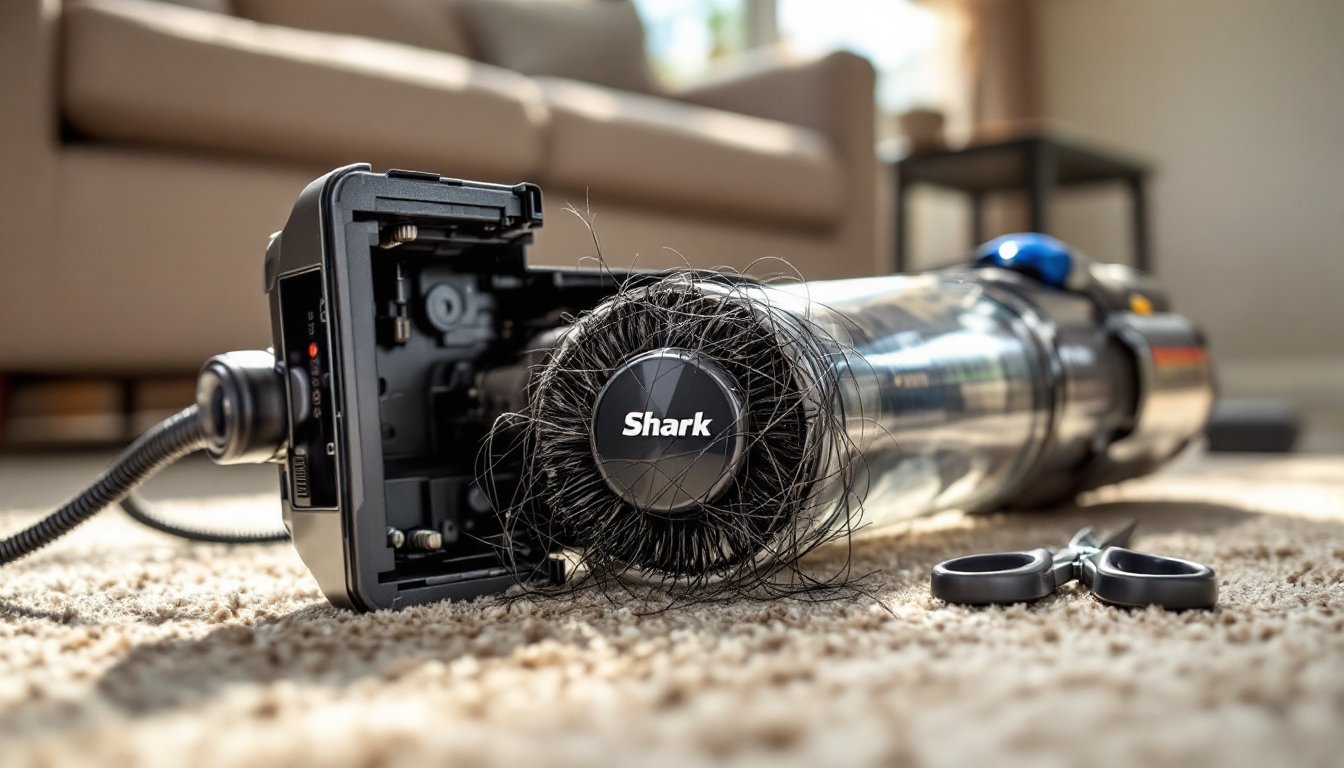
Look for wrapped hair, string, or fishing line. These wind tightly around the roller and bind the bearings. Use scissors to carefully cut through the tangles, there’s usually a groove at one end of the roller designed for this. Pull the debris free and discard it. Pet hair is a notorious offender: homes with shedding dogs or cats should clean the brush roll monthly.
Inspect the drive belt (the small rubber loop that connects the motor spindle to the brush roll). If it’s stretched, cracked, or broken, the roller won’t spin. Belts are consumable parts and typically cost under ten dollars. Shark provides model-specific replacement belts: installing a generic belt may work but can cause slippage or premature wear. To replace the belt, lift out the brush roll, loop the new belt over the motor spindle, stretch it over the roller, and snap the roller back into its slots. It should spin freely with slight resistance.
Check the roller bearings at each end. If they’re clogged with gunk or feel gritty when spun by hand, clean them with a cotton swab dipped in isopropyl alcohol. If a bearing is cracked or the roller itself is warped, replace the entire brush roll assembly.
Some Shark models feature a brush roll shutoff switch for bare floors. Make sure this switch is in the “on” position for carpet cleaning. It’s usually a slider or button on the handle or body.
Test and Replace Filters if Necessary
Clogged filters choke airflow, trigger thermal shutoffs, and can eventually burn out the motor. Shark vacuums typically have two filters: a foam pre-motor filter and a felt post-motor HEPA filter. Both are washable, but they don’t last forever.
Locate the filters using the manual. On most uprights, the pre-motor filter sits under a hinged door near the dust cup, and the post-motor filter is behind a grille on the top or rear of the unit. On cordless stick models, the filter is often at the top of the handheld body.
Remove and inspect each filter. If it’s gray, matted, or has a dusty odor, it needs cleaning, or replacement if it’s been washed many times and no longer springs back when touched. Shark recommends washing foam and felt filters every three months under lukewarm tap water without soap. Squeeze gently (don’t wring) and air-dry for at least 24 hours. Reinstalling a damp filter can cause mold growth and motor damage.
Never run the vacuum without filters installed. Fine dust will be sucked directly into the motor, leading to overheating and premature failure. If the old filters are shredded or heavily stained, order OEM replacements from Shark or a reputable parts supplier. Aftermarket filters are cheaper but may not seal as well, allowing dust bypass.
Some Shark models include a secondary filter in the dust cup assembly, check the manual. That one is usually not washable and should be tapped out over a trash can monthly.
Assess the Motor and Overheating Issues
If the vacuum starts and then shuts off after a few seconds or minutes, the motor is likely overheating. Shark vacuums use thermal cutoff switches that kill power when internal temperatures exceed safe limits, typically around 190–200°F. This is a safety feature, not a defect.
Let it cool completely before attempting to restart. Unplug the unit and wait at least 45 minutes. During this time, clear any blockages, clean the filters, and ensure all airways are open. Overheating is almost always a symptom of restricted airflow, not a dying motor.
Listen for unusual sounds when the vacuum runs. A high-pitched whine or grinding noise indicates a bearing failure or debris in the motor fan. If the motor hums but doesn’t spin, the motor itself may have failed, this requires professional repair or replacement.
Check for burning smells near the motor housing. If there’s a sharp electrical or plastic odor, stop using the vacuum immediately. This can indicate melted insulation, a shorted winding, or a failed thermal fuse. Continuing to run a vacuum with a burned motor risks fire.
Motor replacement is possible but often costs as much as buying a refurbished or new unit. For DIYers comfortable with disassembly, Today’s Homeowner offers guides on appliance motor diagnostics, but motor work generally isn’t beginner-friendly. If the vacuum is under warranty, contact Shark customer service before attempting any internal repairs, opening the housing may void coverage.
When to Seek Professional Repair or Replacement
Not every vacuum problem is a DIY fix. Knowing when to call for help, or cut losses, saves time and money.
Warranty coverage: Shark typically offers a five-year limited warranty on many models. If the vacuum is still within that window and none of the above fixes work, contact Shark support. They may replace the unit or send a free replacement part. Keep the receipt and model number handy.
Cost of repair vs. replacement: If the motor, main circuit board, or battery pack has failed and the vacuum is out of warranty, get a repair quote. Independent appliance repair shops may charge $75–$150 for diagnostics and labor. If parts are needed, add another $50–$200. For a vacuum that originally cost $150–$300, replacement often makes more financial sense. Refurbished Shark models from the manufacturer come with limited warranties and cost 30–50% less than new.
Safety red flags: If there’s visible smoke, repeated circuit breaker trips even after clearing blockages, or exposed wiring, don’t attempt further repairs. These are fire hazards. Dispose of the vacuum responsibly (many municipalities have e-waste recycling programs) and replace it.
Chronic issues: If the same problem recurs every few weeks even though cleaning and maintenance, the vacuum may have a design flaw or manufacturing defect. For detailed troubleshooting beyond what’s covered here, Bob Vila’s site provides in-depth appliance repair guides and contractor recommendations for persistent issues.
For users who’ve had a Shark vacuum for over seven years and it’s on its second or third belt and filter set, consider upgrading. Motor brushes wear down, plastic parts become brittle, and efficiency drops. Modern models often have better filtration, quieter operation, and improved battery life in cordless versions.
Conclusion
Most Shark vacuum failures trace back to a handful of fixable issues: power supply problems, blockages, worn belts, or dirty filters. By methodically working through the checklist above, homeowners can diagnose and resolve the majority of these problems without specialized tools or technical expertise. Regular maintenance, monthly brush roll cleaning, quarterly filter washes, and prompt blockage clearing, extends the vacuum’s life and keeps performance strong. When a repair exceeds the cost or complexity of replacement, it’s time to move on, but in many cases, a few minutes of troubleshooting will get that Shark back to full suction.